De-identifies before it scores
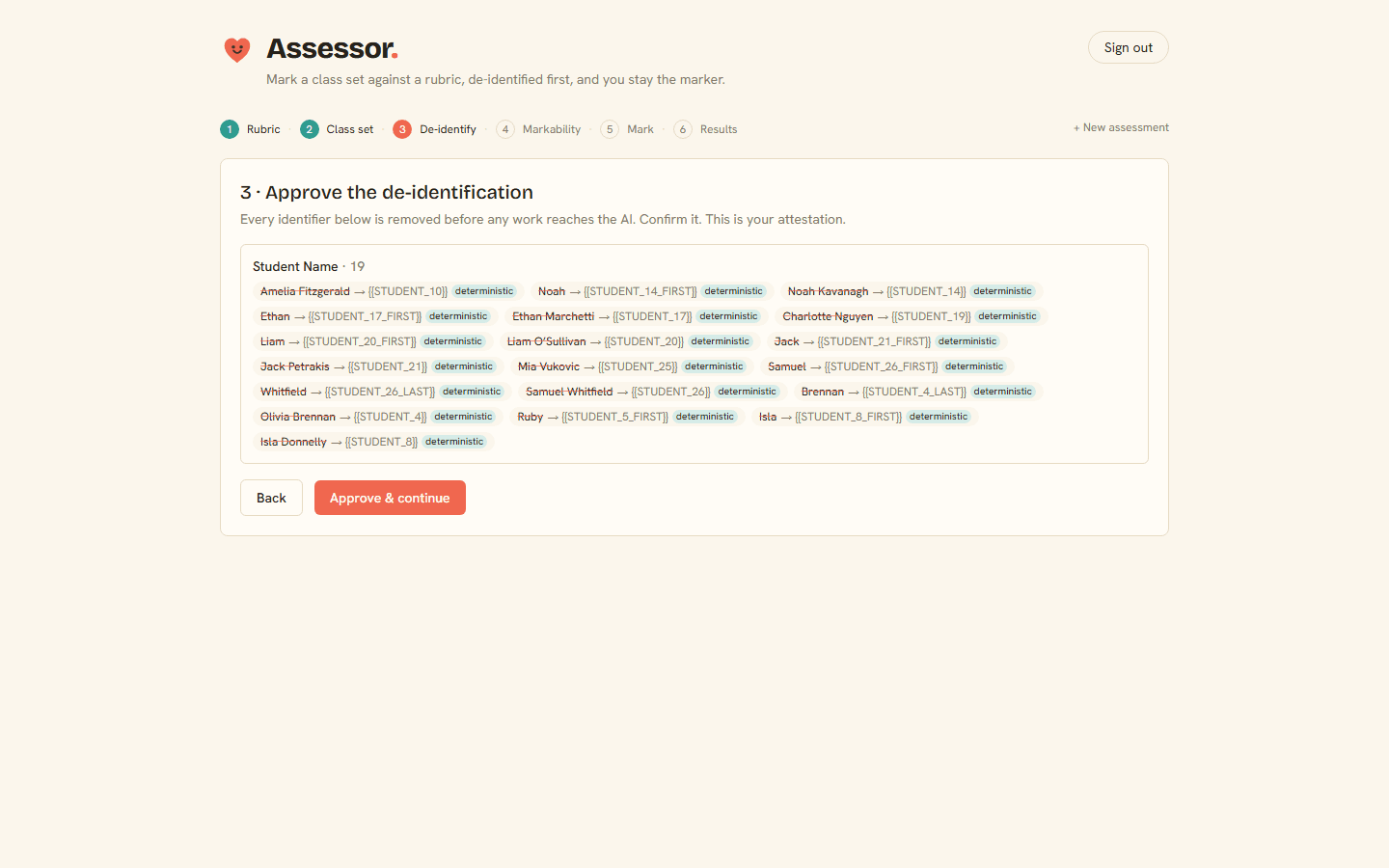
A name, year level and school together identify a student. Assessor strips that out before any work reaches the AI, and shows you exactly what it removed so you can attest that it did.
Assessor · AI marking for teachers
Load a rubric, the class set and your roster. Assessor de-identifies the work, scores it against your rubric, says plainly what it can't judge, and hands back a live marksheet you review and own.
Live now. Load your first rubric and class set. No waitlist.
See it
Rubric in, names stripped, class set marked. Every band traces back to the work, and you stay the one who signs it off.
Honest by design
A name, year level and school together identify a student. Assessor strips that out before any work reaches the AI, and shows you exactly what it removed so you can attest that it did.
A criterion that needs evidence Assessor wasn't given (drafting history, an oral presentation, effort over time) comes back flagged as 'not assessable', with a reason. Never a fabricated score.
Each score points to a verbatim span from the submission. A band with no evidence is rejected before you ever see it. That's the guard against over-generous marking.
Assessor produces a first pass. It never finalises a mark. You fill the flagged blanks, edit comments into your voice, override anything, and sign off.
The flow
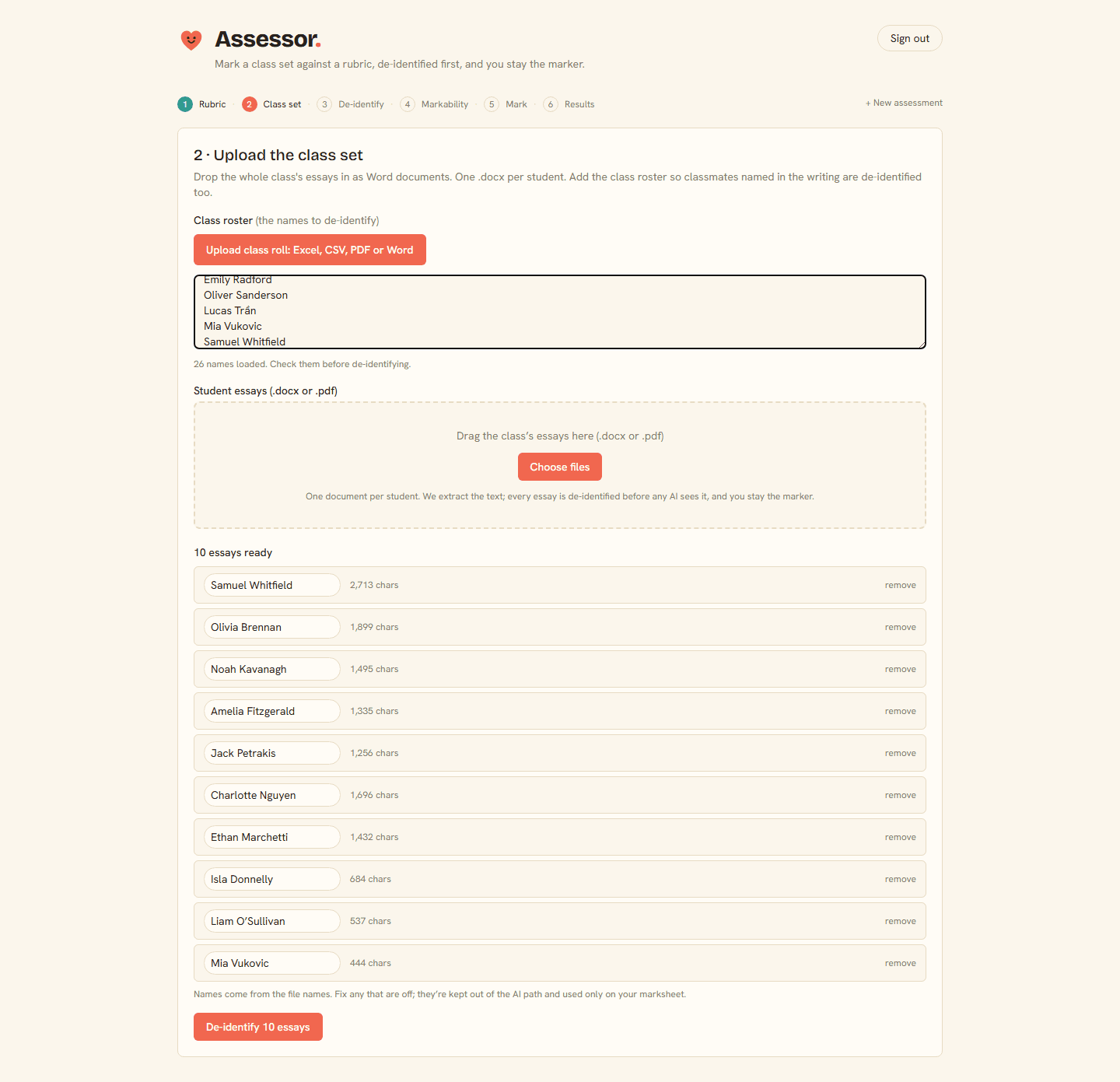
Sign in, upload your rubric, the whole class set of work, and your roster of names. Everything stays in the session only.
Assessor detects every identifier: names seeded from your exact roster, plus school, year and any self-ID in the writing. You review and confirm what's removed.
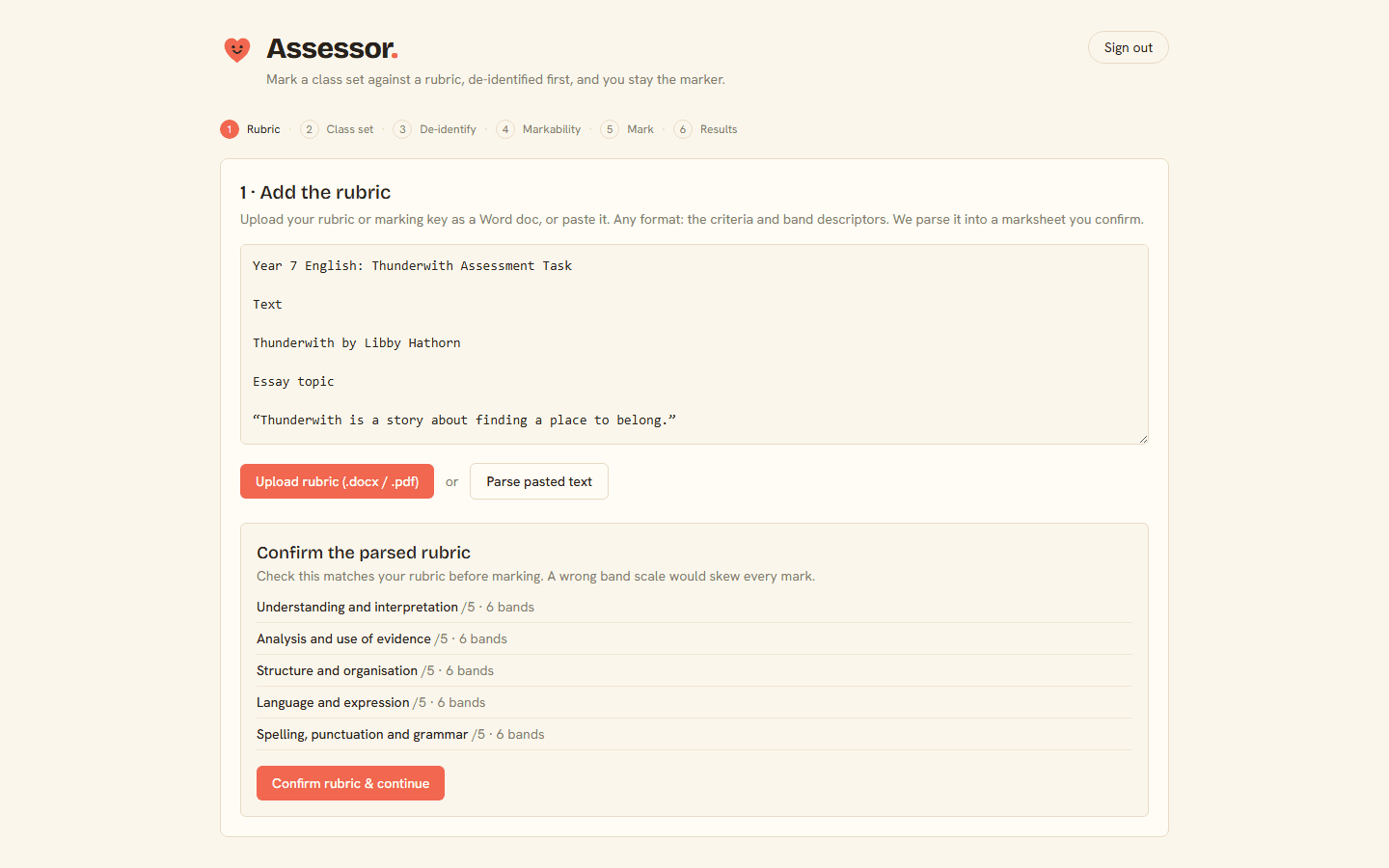
It reads the rubric and proposes which criteria it can mark and which it can't from the evidence you gave it. You confirm.
Each de-identified piece is scored against your rubric with a band, an evidence span, and a positive, student-first comment.
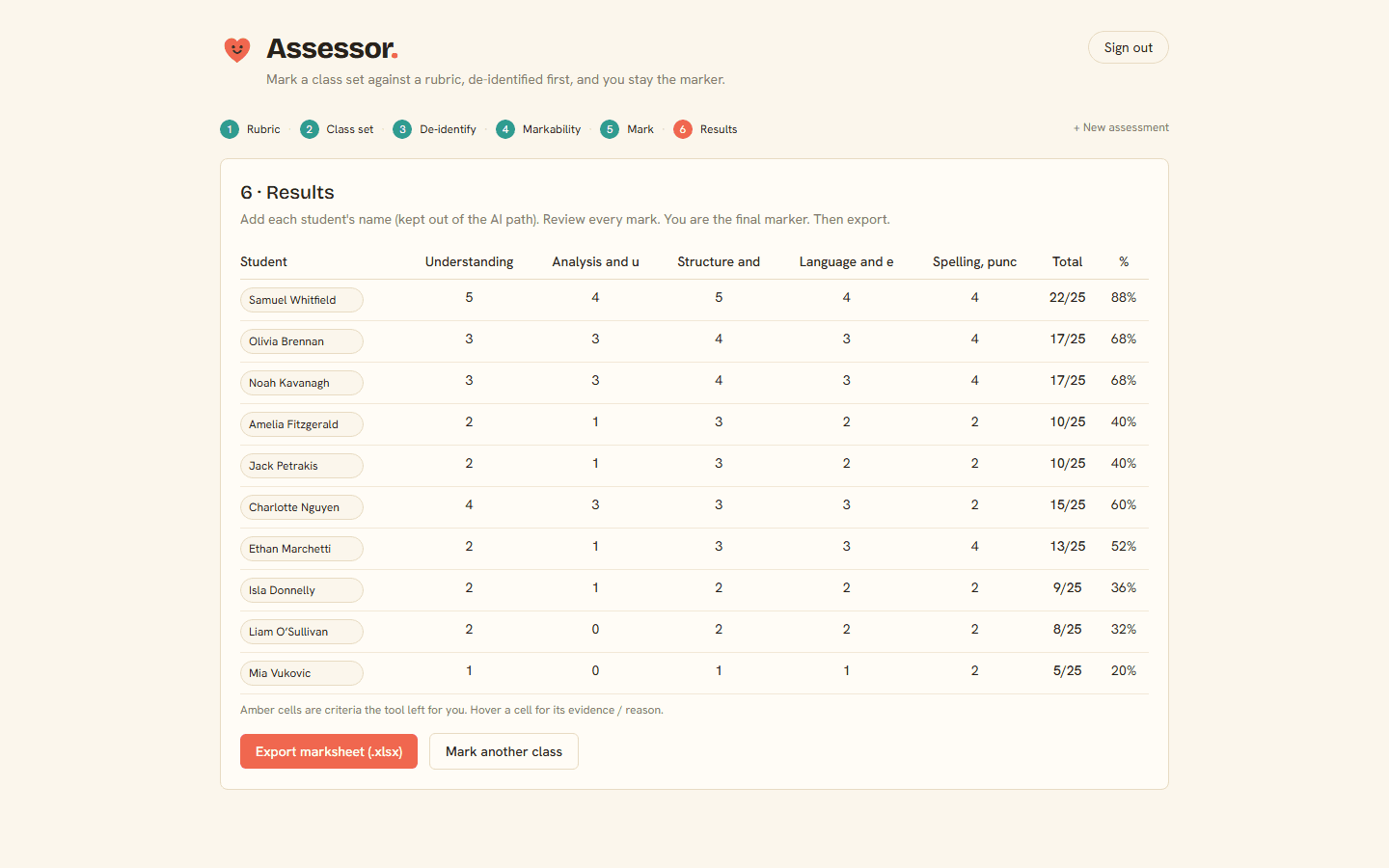
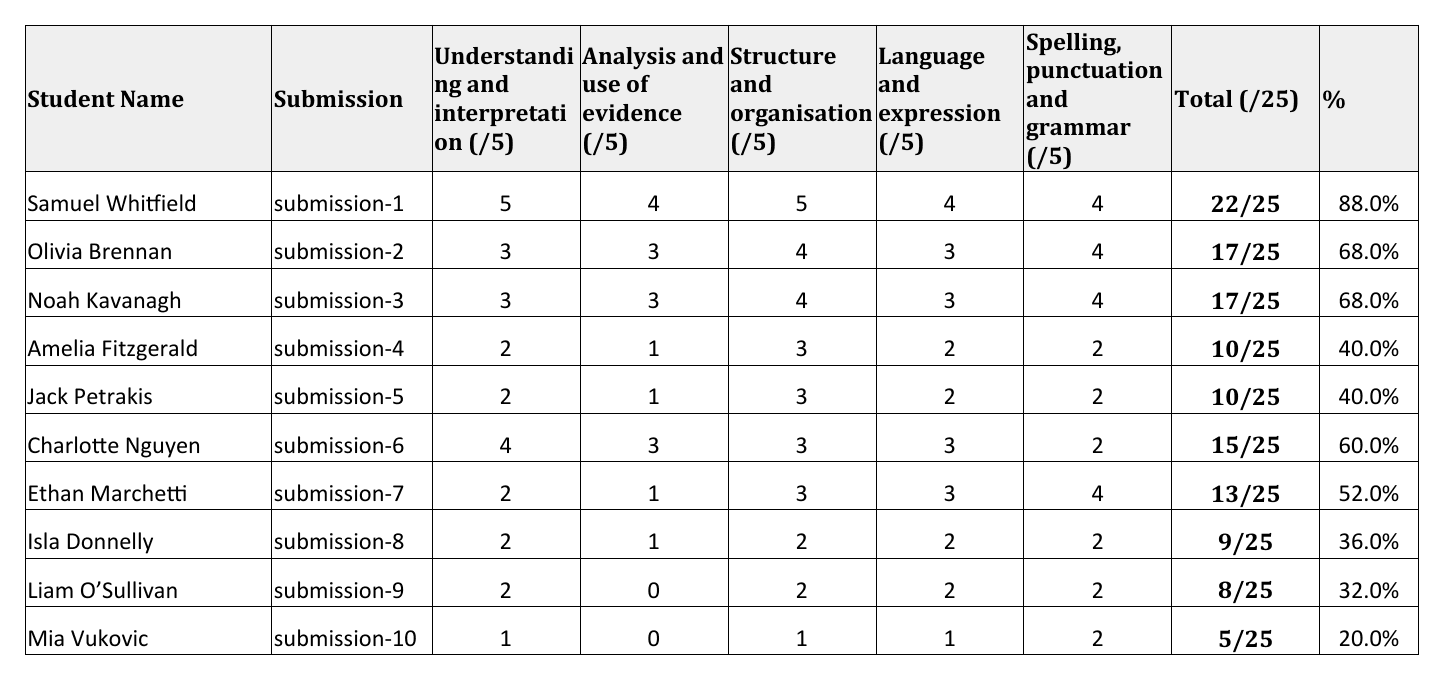
Names are reapplied locally, never sent to the model. You get a live Excel (real =SUM totals, flagged blanks, one row per student) to review and paste into Compass.
What you get
One row per student: separate name and topic columns you manage, per-criterion bands, a real =SUM total out of 25, a live percentage, and a four-sentence positive comment.
Criteria it couldn't mark are left blank and visibly flagged, so nobody copies a partial total by accident. Fill the blanks, and the total and percentage complete themselves, ready to paste straight into Compass.
FAQ
Assessor is live now. Load a rubric and your class set, and mark your first batch today. It runs on Year 7 English first, with more subjects on the way.